Multiple inventory line items for the same card (I'd prefer they 'stack')
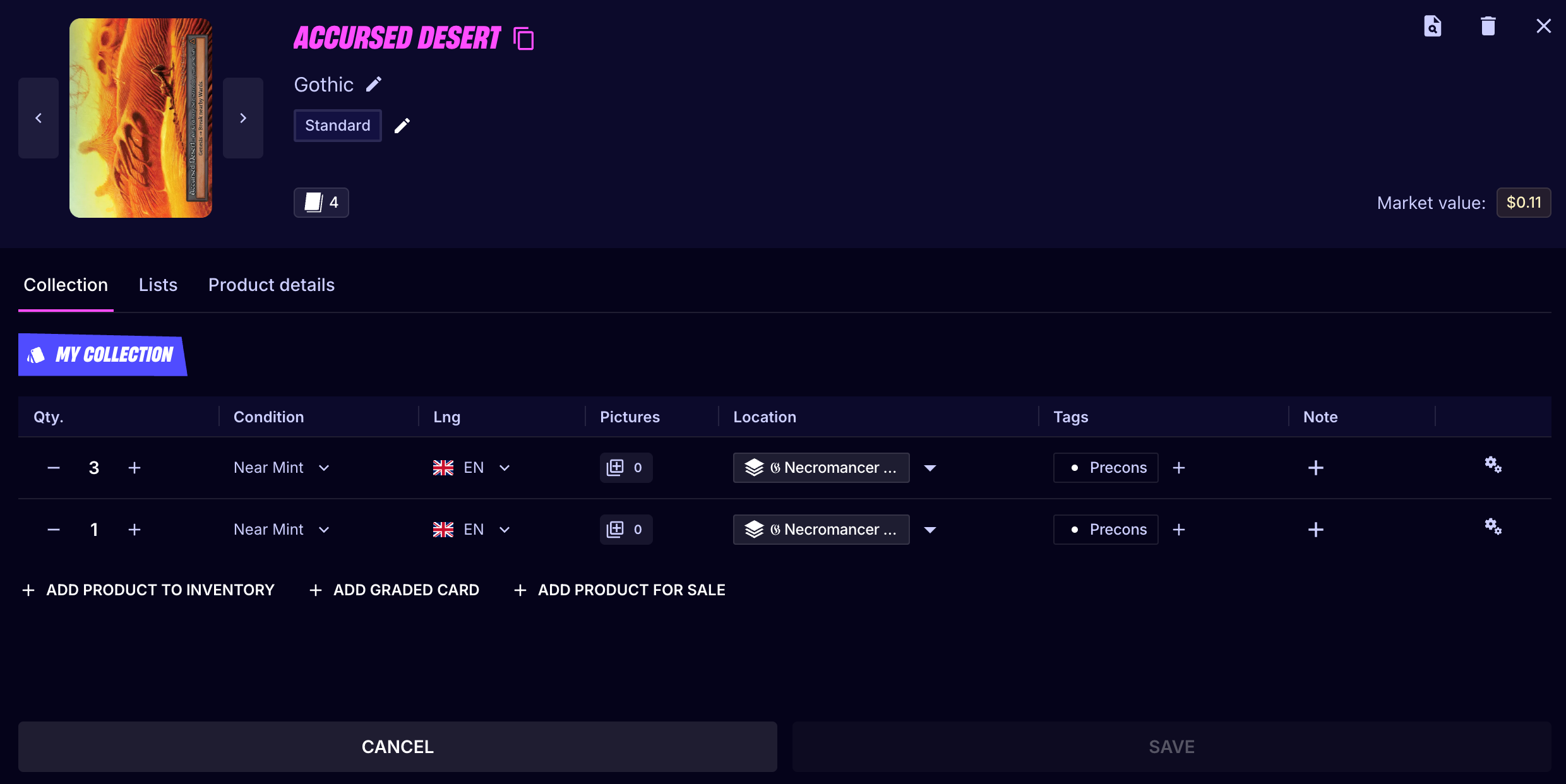
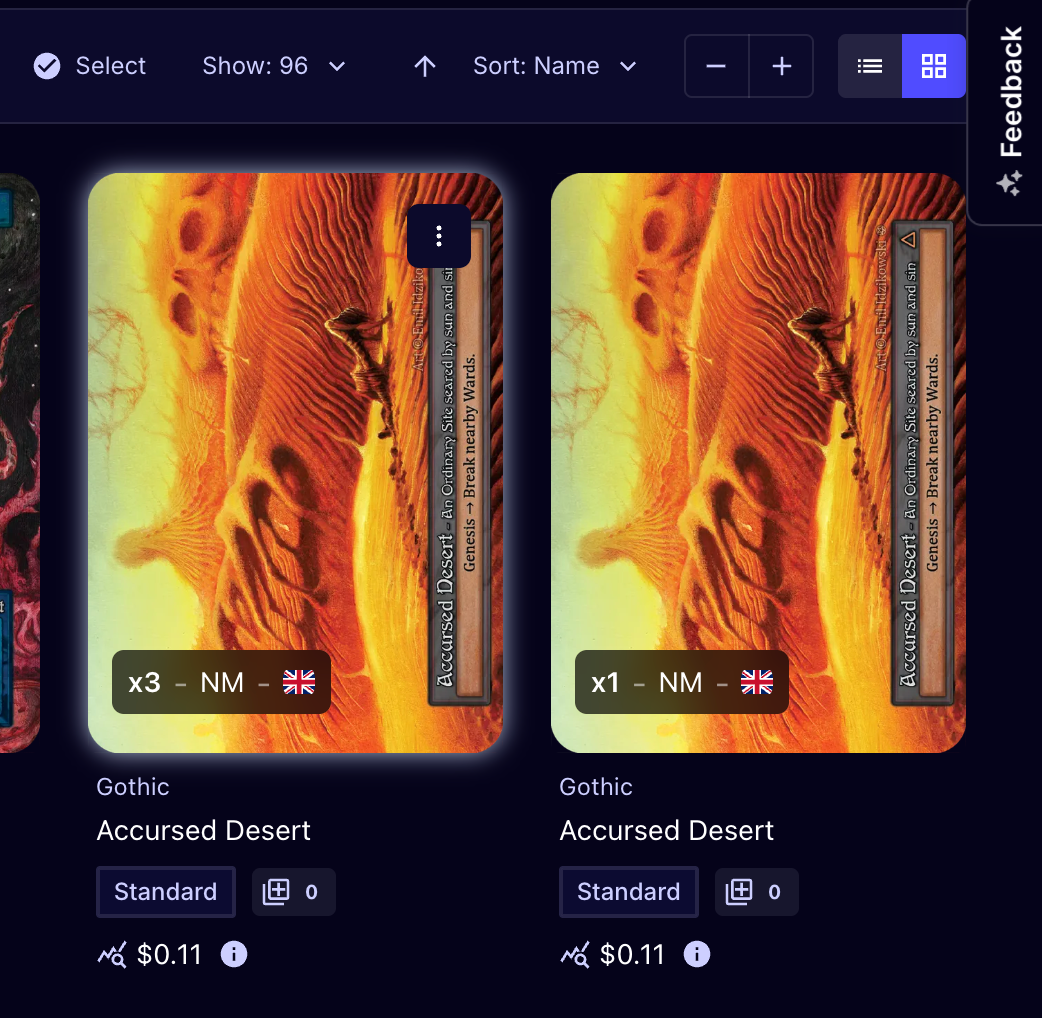
I scanned multiple copies of the same card but put them in different locations and assigned different tags. I think this resulted in not being able to stack them in my inventory, even after I subsequently changed the location and tags to be the same. I think the default behavior should be to 'combine' or 'stack' cards when they have the same productId (with the number owned reflected in totalQtyOwned).
I confirmed this behavior persists when exporting even without the differing columns, and I confirmed the cards have the same productId.
Log in to comment and vote
Comments4
Gaultier Romon
Sep 9
Hi, thanks for the detailed report and for checking the product IDs, that made it easy to trace.
You're right about what happened.
Your two Accursed Desert lines are now identical in every way (same location, same tag, same condition and language), but they are still shown as two separate lines. Here's why.
When you scan or import a card, we combine it with an existing line only if everything matches at that moment, including the location and the tags. Your first copies were in a different location with different tags, so the new scan created a second line. That part is expected.
The bug is what happens next. When you edit a line to make it match another one, we only re-check for combining at the moment you change the location, and at that moment your tags still differed.
Changing the tags afterwards never triggers that check at all. So the two lines stayed separate even though they became identical, and the export reflects that.
Gaultier Romon
Sep 9
That seems weird yes, gonna take a look, will keep you posted